
Practical Problem Solving (PPS)
Practical problem-solving workbook with structured problem definition, 5-Why analysis, fishbone analysis, root cause and corrective-action workflow.
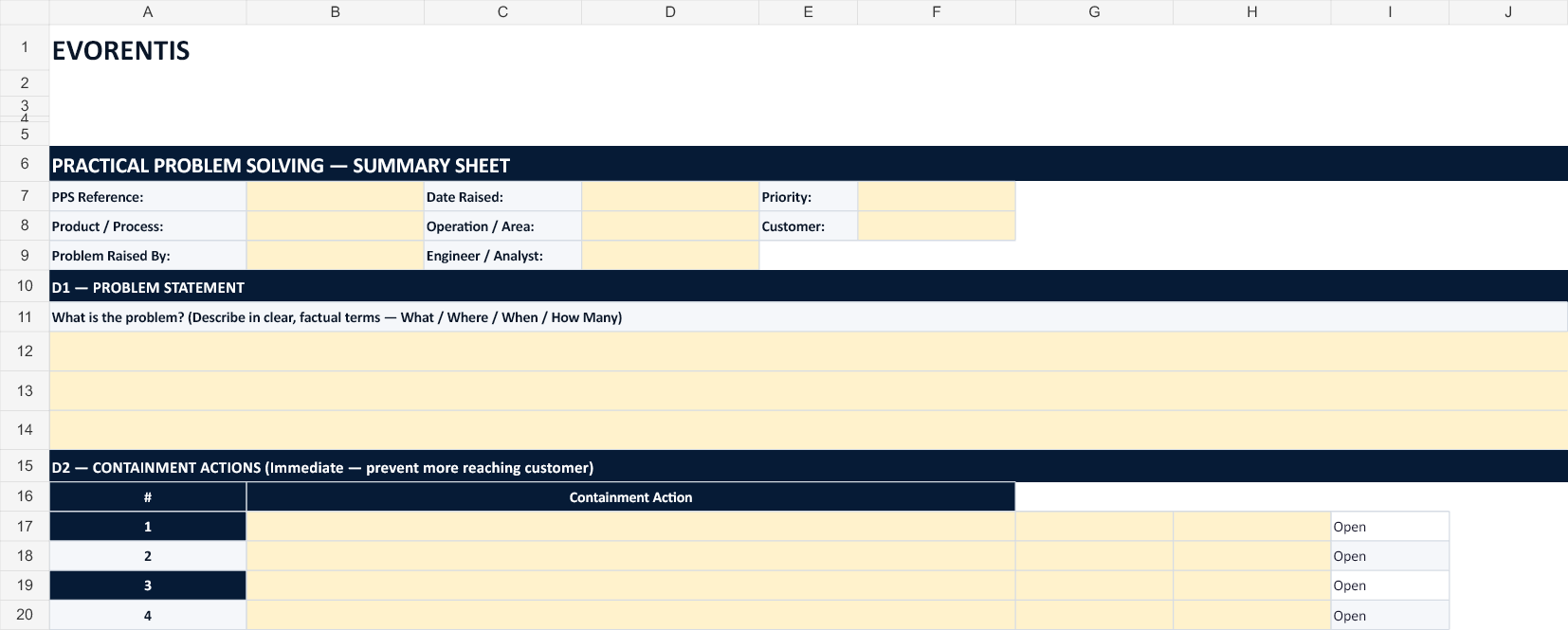 EVO-027
Built to be used, not just read.
- Structured PPS summary
- 5-Why root cause analysis
- Fishbone / Ishikawa analysis
- Corrective-action workflow
Turn information into action.
Practical problem-solving workbook with structured problem definition, 5-Why analysis, fishbone analysis, root cause and corrective-action workflow.
Who is this for?
Product category
Continuous Improvement
Editable Excel workbook. One-time digital purchase.
A working template with guidance and an example
Complete the marked input areas, review the result and export your completed report. Fixed labels and calculations are protected against accidental edits.
- Excel workbook with protected formulas
- PDF quick start and fictional worked example
- Current EVORENTIS branding and contact@evorentis.com support
- A product-specific fictional example and acceptance checklist
What can I edit?
Pale yellow fields are editable. Formula cells and fixed layout are protected. Current desktop Microsoft Office was used for the editing and calculation checks; web and mobile viewers may handle protection differently.
Existing licence terms and prices apply. Protection helps prevent accidental changes; it is not encryption. No macros or paid add-ins are required.